In an era dominated by rapid technological evolution and shifting social media ecosystems, the fundamental digital storefront for brands remains the Facebook Business Page. Far from being a relic of early social media marketing, a modern Facebook Business Page serves as a powerhouse of utility, blending public discovery, advanced analytics, ad distribution, and seamless customer messaging.
Unlike personal profiles—which are tethered to rigid friend limits and private networks—a Facebook Business Page taps directly into a massive global audience consisting of over 3.07 billion monthly active users. Anyone can choose to follow a business page instantly without requiring a reciprocal friend request, turning the platform into a vital inbound discovery channel.
Crucially, setting up and maintaining this foundational digital asset remains entirely free. However, the true value of a Facebook Business Page in the current digital marketing landscape lies in its integration with robust management suites, meta-verification systems, and advanced targeting frameworks that allow organizations to convert casual attention into measurable bottom-line results.
Chronology: A Step-by-Step Walkthrough to Page Launch
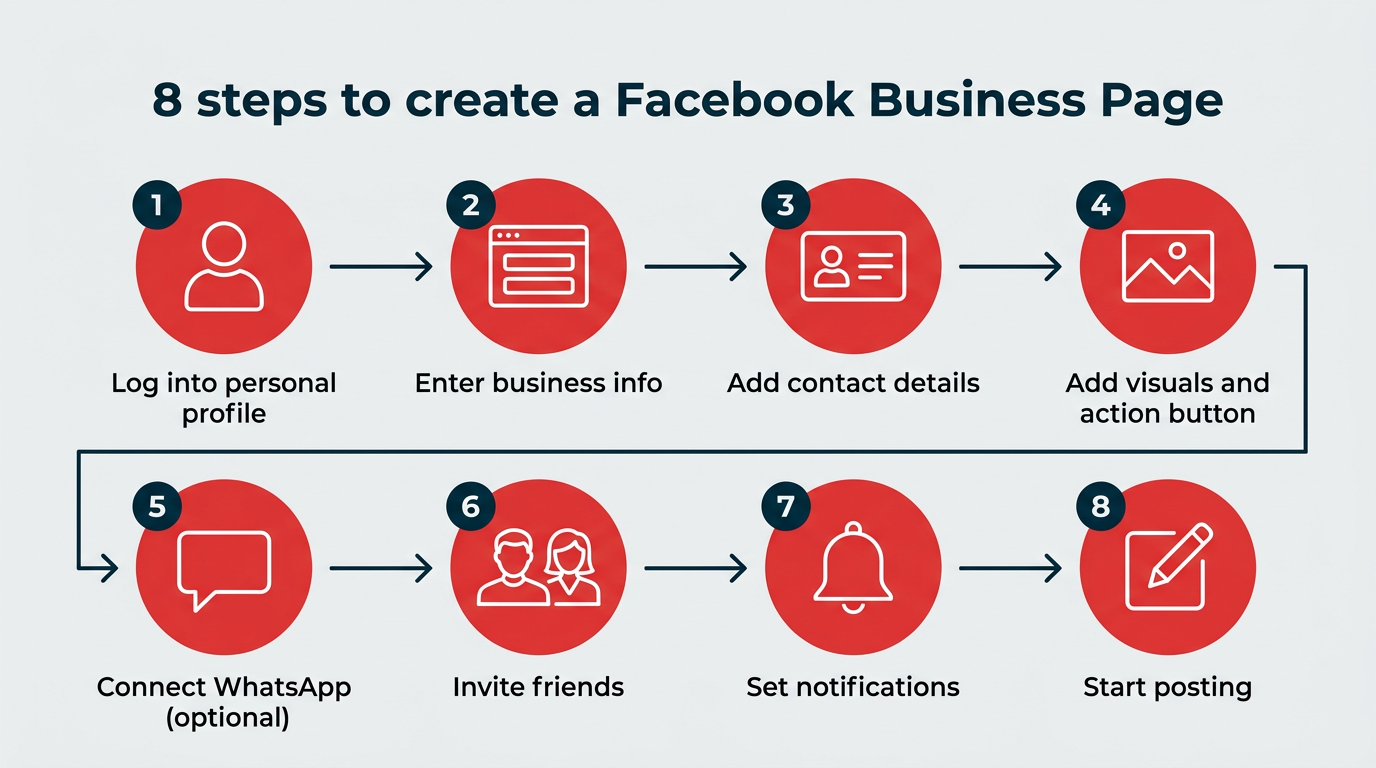
Building an optimized, high-performing Facebook Business Page requires intentionality. The setup process is streamlined, taking roughly 10 minutes from conception to your first published post. Below is the comprehensive chronological roadmap required to build, configure, and launch your page successfully.
Step 1: Establish Your Personal Foundation
Every business page must be anchored to a legitimate personal Facebook profile. Facebook’s strict terms of service mandate a real personal identity behind every administrative action; creating duplicate or fake personal profiles solely to manage a business page risks platform penalties or account suspension.
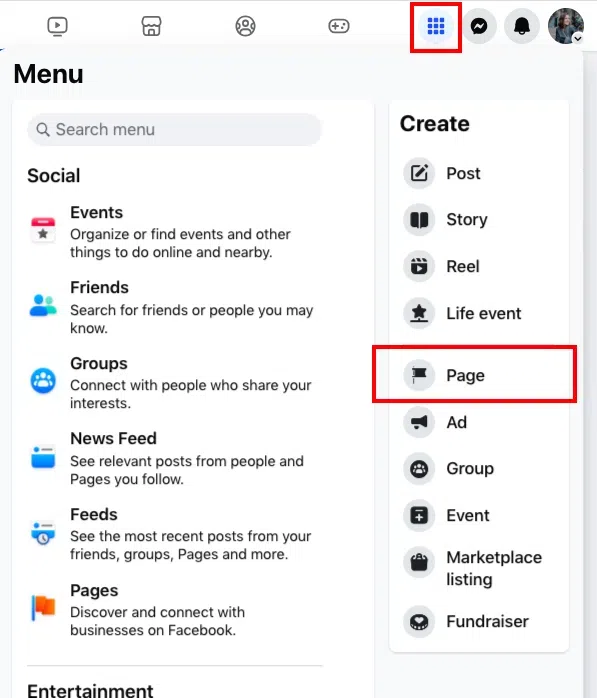
Action: Log into your personal Facebook account. Navigate to the top navigation menu, select the Pages section, and click Create New Page. (Your personal details, friends list, and private posts remain entirely hidden from the public-facing business page).
Step 2: Input Core Business Identifiers
In this phase, you define how your brand appears across search and discovery engines.
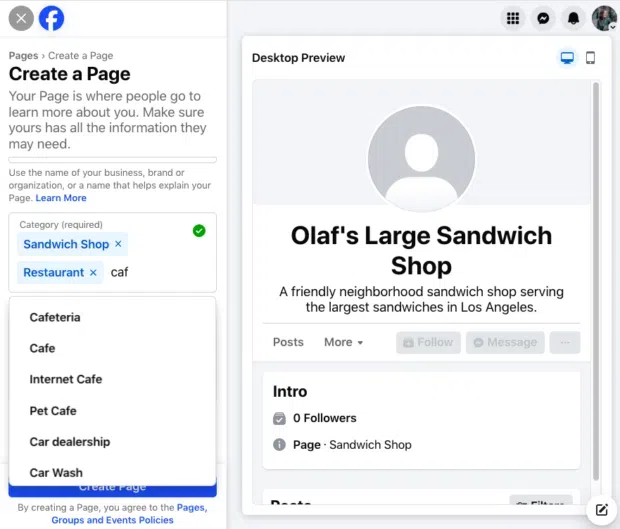
Page Name: Use your exact business name or the keyword-optimized variation your target audience is most likely to search for.
Category: Input terms descriptive of your enterprise. Facebook will generate contextual suggestions allowing you to select up to three distinct categories.
Bio Section: Write a concise, compelling summary. This field is vital for both immediate audience credibility and social SEO, ensuring your page indexes properly when users search for specific services.
Step 3: Configure Direct Contact Channels
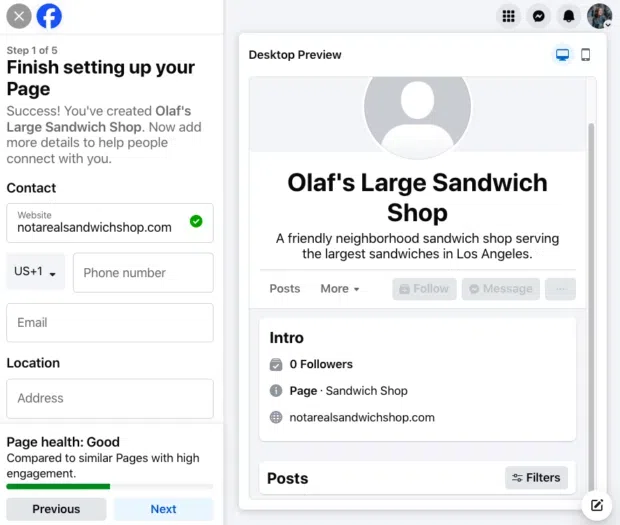
Transparency builds consumer trust. Here, you dictate how prospects can bridge the gap from digital browsers to direct leads.
Details: Provide your operating hours, physical location (if applicable), official business website, and customer service email or telephone number. Keep in mind that all provided fields are entirely optional—publish only what aligns with your privacy and customer service strategies.
Step 4: Curate Brand Visuals and Call-to-Action (CTA) Buttons
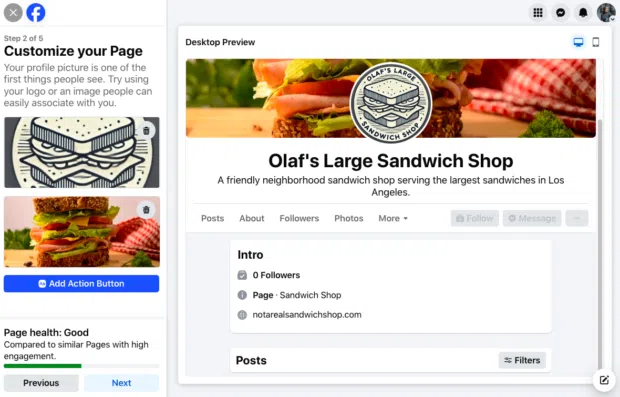
First impressions are visually driven. You must upload assets optimized for modern display parameters:
Profile Picture: Recommended at 320 x 320 pixels (rendering at 196 x 196 pixels on mobile devices). Your brand logo is typically the optimal choice, adjusted to fit a circular frame.
Cover Photo: Sized at 851 x 315 pixels, this banner should visually communicate your current marketing campaign, brand ethos, or core value proposition.
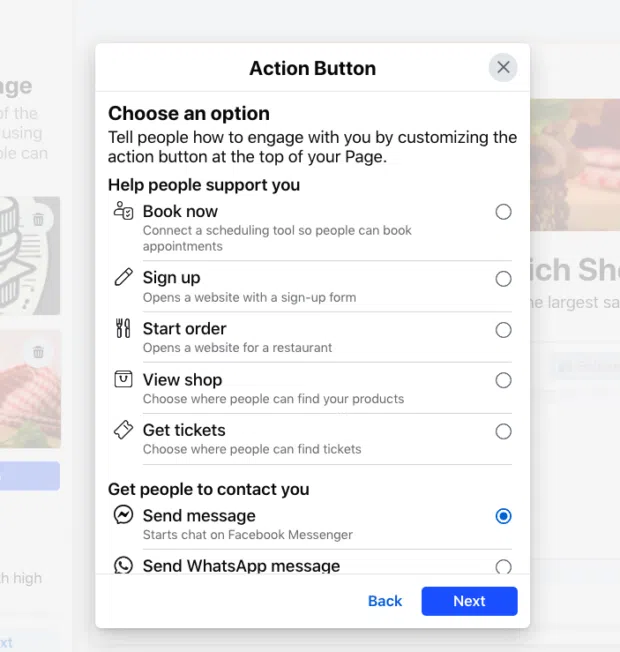
Action Button: Implement Facebook’s native, customizable CTA buttons. Whether your goal is driving appointments, encouraging direct messaging, or facilitating immediate e-commerce orders, this button acts as your primary conversion catalyst.
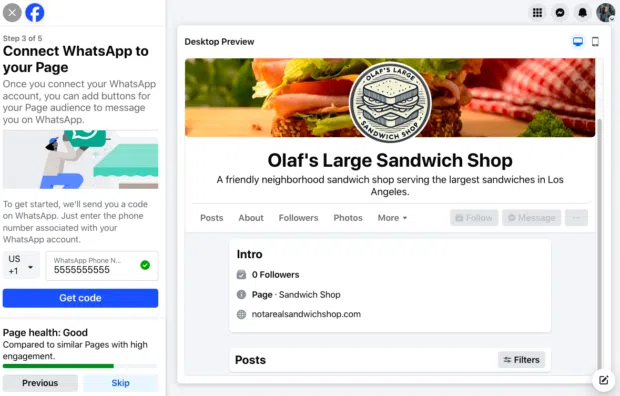
Step 5: Integrate WhatsApp (Optional)
To capitalize on conversational commerce, you can seamlessly tie your WhatsApp Business number directly to your page. By receiving a verification code via SMS, you enable a direct WhatsApp communication channel for prospective buyers. If this does not fit your communication funnel, simply select Skip.
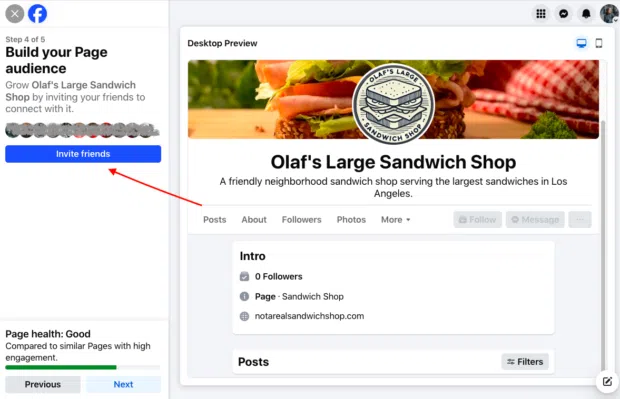
Step 6: Build Your Initial Audience Base
Leverage your warm network to secure early social proof. Utilize the Invite Friends feature to notify your personal connections of your new business hub, prompting early followers and initial engagement metrics.
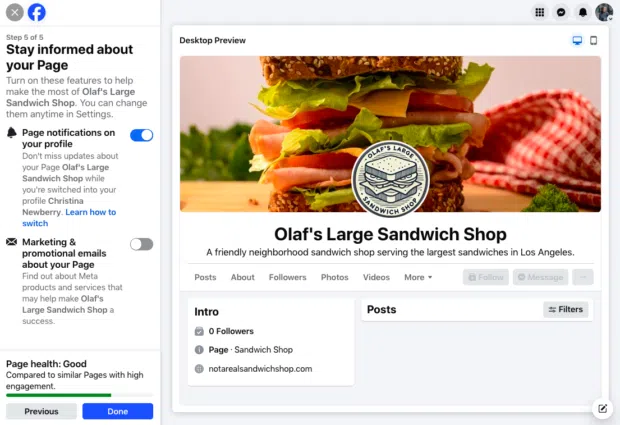
Step 7: Configure Notification Parameters
Avoid operational blind spots by toggling your page notifications on. This ensures you receive real-time alerts regarding customer inquiries, comments, and mentions even when you are logged into your personal profile rather than your business dashboard.
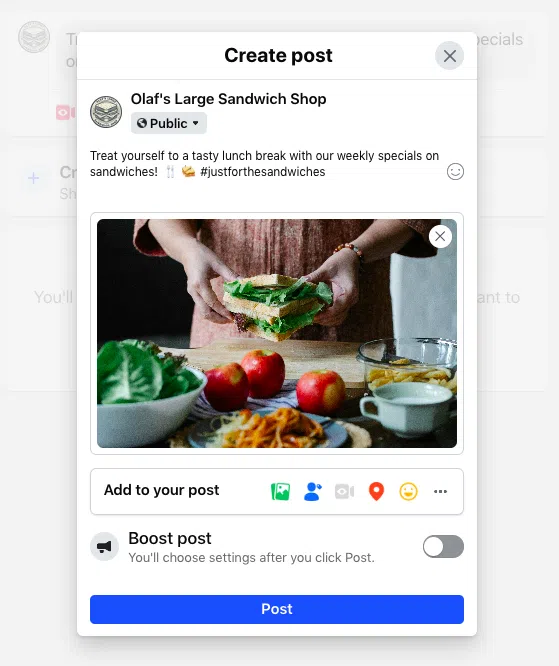
Step 8: Deploy Your Inaugural Content Strategy
A freshly launched page requires immediate activity. Diversify your early content mix by publishing text updates, interactive polls, photo carousels, or video content—the latter of which drives record-high engagement metrics across the platform.
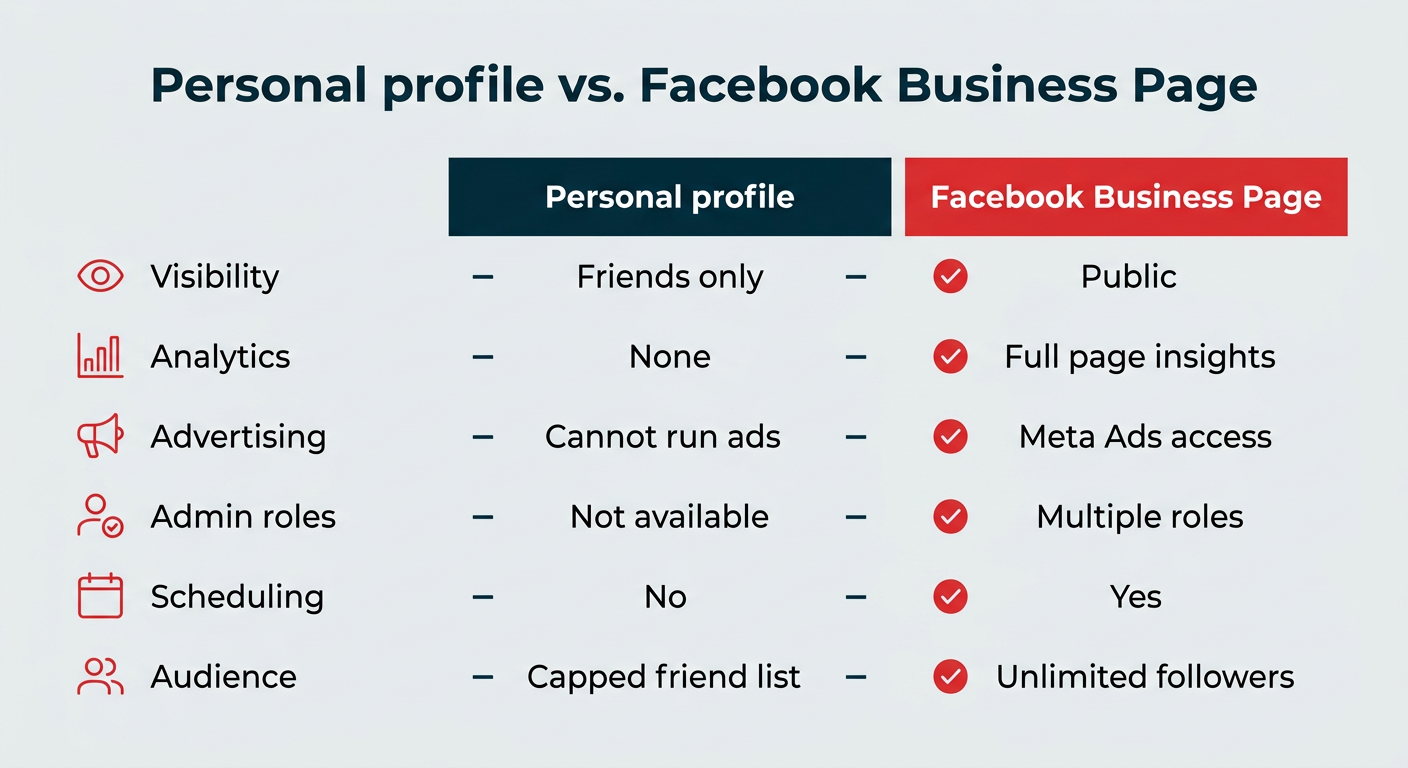
Supporting Data: Personal Profiles vs. Business Pages
Understanding the stark technical and operational differences between a personal profile and a Facebook Business Page is critical for maintaining compliance and maximizing marketing efficiency.
Feature
Personal Profile
Facebook Business Page
Audience Visibility
Restricted to approved friends and followers
Publicly accessible to all platform users
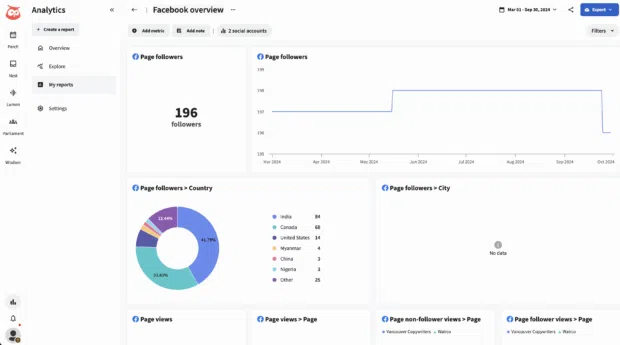
Analytics & Insights
Non-existent
Comprehensive, real-time performance insights
Advertising Capability
Restricted (cannot run paid ads)
Full, uninhibited access to Meta Ads Manager
Administrative Roles
Single-user control
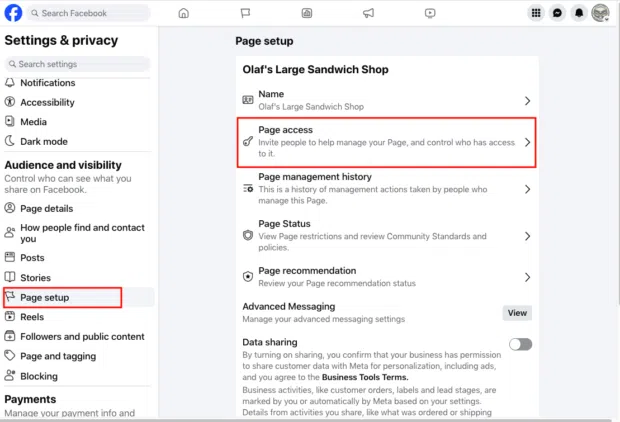
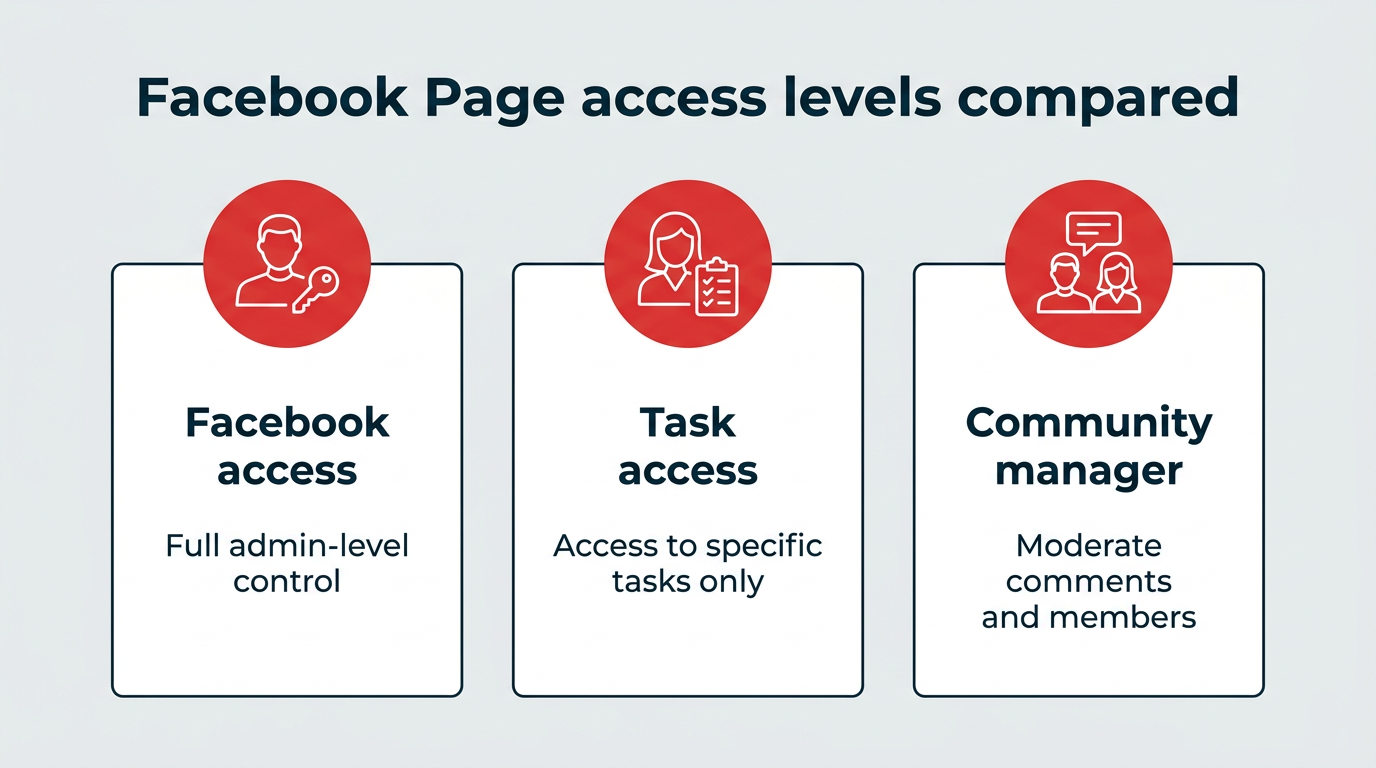
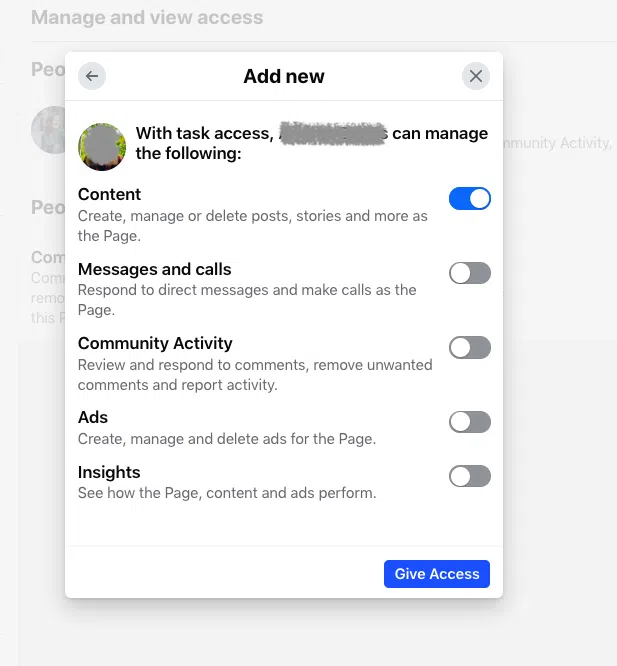
Multi-tiered role assignments and task permissions
Content Scheduling
Not natively supported
Supported via native tools and third-party suites
Customer Messaging
Personal Messenger interface
Business Messenger and multi-channel integrations
Audience Capacity
Capped at strict friend limits
Unlimited follower scale
Official Responses: Insights from Industry Leaders
To understand how high-performing brands maintain visibility on Facebook in 2026, we consulted top digital marketing strategists and growth experts. Their insights point unanimously away from "broadcasting" and toward community-centric architecture.
"Go beyond posts and think about connections. Our Facebook Page isn’t just a billboard; it’s a hub that connects our content, community, and customer stories."
— Andreea Constantin, Head of Brand Marketing and Communities, LearnWorlds
"Make your Page feel like a community hub, not a soapbox. As the platform shifts, treat it less like a traffic driver and more as a loyalty tool."
— Garin Hobbs, Martech Expert, InboxArmy
"The future of Facebook Pages lies not in broadcasting but in building micro-communities within your broader audience. We’re seeing remarkable success with clients who create distinct content tracks for different customer segments, essentially running multiple ‘mini-Pages’ within their main Page."
— Jock Breitwieser, Digital Marketing Strategist, SocialSellinator
Furthermore, marketing leaders emphasize the strategic integration of Facebook Groups to deepen audience retention. By treating a Facebook Group as an interactive companion to a static Business Page, brands can foster organic discussions, position themselves as trusted industry authorities, and humanize their operations through real-time engagement tools like Facebook Live Shopping, which has been shown to drastically outperform static post conversions.
Implications: Strategic Optimization and Management in 2026
Creating a page is merely the baseline; optimizing it for ongoing algorithmic favor requires advanced strategies.
1. Achieving Trust via Meta Verified
To combat impersonation and build instant brand authenticity, organizations can pursue Meta Verified for businesses. This paid subscription grants a verified blue badge, enhanced customer support, and active impersonation monitoring. Eligibility requires businesses to meet regional thresholds, verify official documentation (such as business licenses or utility bills), and adhere to strict minimum activity requirements.
2. Advanced Multi-Channel Management
Handling a modern Facebook Business Page alongside auxiliary platforms requires sophisticated software. While Meta Business Suite provides native scheduling and ad execution, enterprise-level marketing often demands integrated ecosystems like Hootsuite.
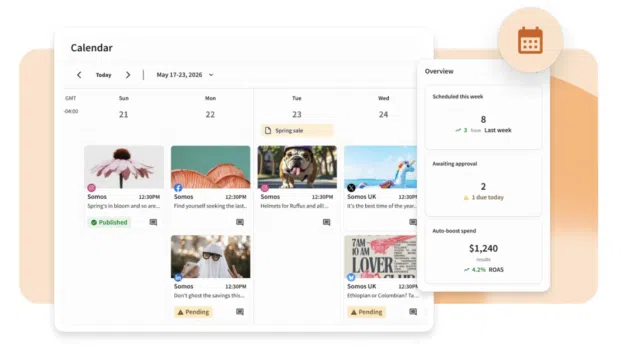
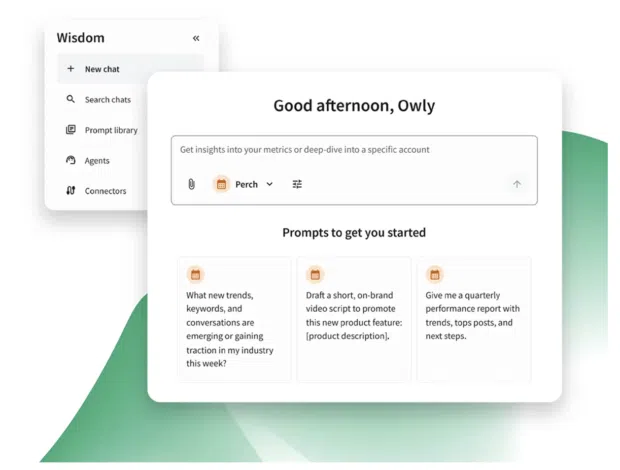
Perch by Hootsuite: Empowers teams to schedule cross-channel content via drag-and-drop calendars, leverage AI ideation tools (Wisdom), analyze real-time ROI, and pinpoint optimal publishing windows tailored to unique audience behavior.
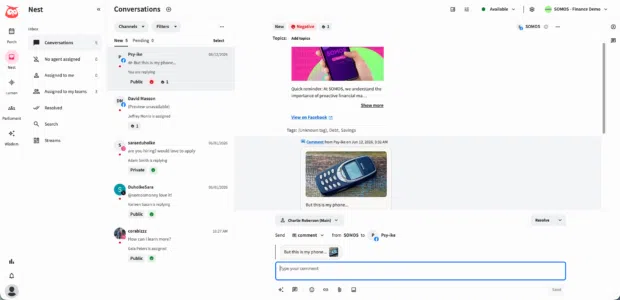
Nest by Hootsuite: Consolidates direct messages, comments, and customer service inquiries across Facebook, Instagram, WhatsApp, TikTok, and LinkedIn into a single unified inbox, ensuring no customer query slips through the cracks.
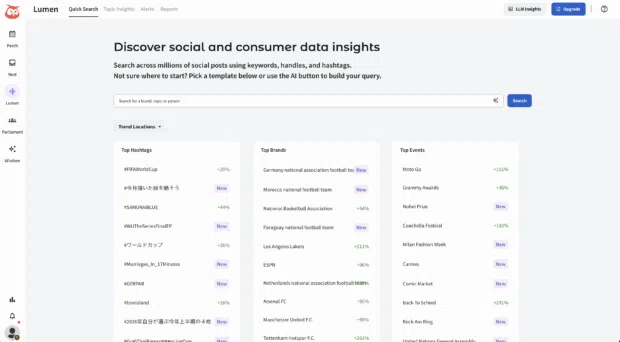
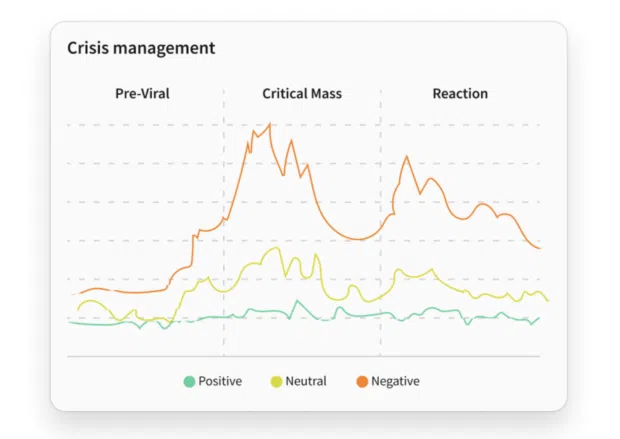
Lumen by Talkwalker: Offers advanced social listening, sentiment tracking, and crisis-management spike alerts, enabling brands to monitor public perception and adapt their messaging instantaneously.
3. Deactivation and Administrative Offboarding
Should strategic pivots require the closure of a business page, administrators retain full autonomy to either deactivate (temporarily disabling the page with the option to restore it later) or permanently delete the asset. Permanent deletion erases all historical posts, analytics, and messaging histories, necessitating that organizations download and archive their data before finalizing the action.
Conclusion
A Facebook Business Page in 2026 is far more than a digital placeholder—it is a dynamic community hub, a localized discovery engine, and a critical conversion vehicle. By following a structured setup process, integrating advanced management tools like Hootsuite, and focusing relentlessly on genuine audience engagement rather than empty broadcasting, businesses can turn digital attention into enduring brand loyalty.
 By Suro Senen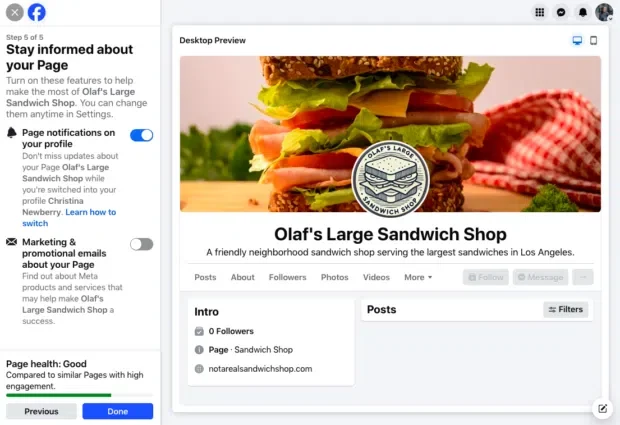


 Nana Wu
  Nana
Nana 