
 By rifanmuazin
You have invested hours, perhaps days, into the perfect email campaign. The subject line is punchy, the copy resonates with human emotion, and the call-to-action is strategically placed to maximize conversions. You hit "send" with the quiet confidence of a founder who knows their audience.
Then, silence.
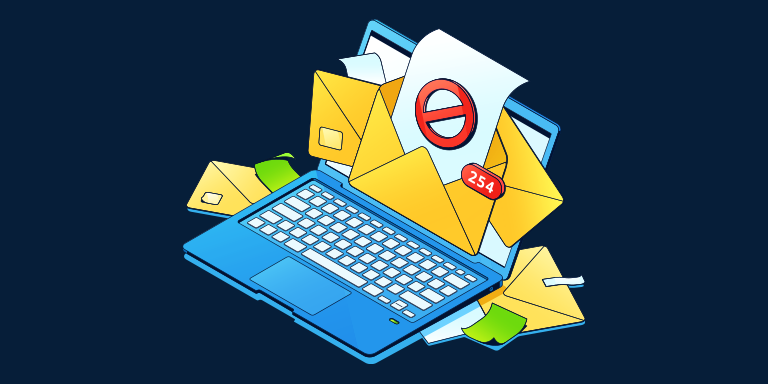
Your open rates plummet, your revenue stalls, and your metrics stagnate. You haven’t changed your product or your offer—so what happened? You have likely fallen victim to the "Invisible Wall": email deliverability. In the modern digital landscape, writing a great email is only half the battle. If your message fails to bypass the sophisticated algorithms of Gmail, Outlook, and Yahoo, it ceases to exist in the eyes of your customers.
The Anatomy of Deliverability: More Than Just "Sent"
To understand the crisis, one must first distinguish between delivery and deliverability.
Delivery is a simple binary state: did the email bounce back, or did it reach the recipient’s mail server? If it didn’t bounce, it is technically "delivered." However, deliverability is a much more complex, subjective measurement. It asks: once that email arrived at the server, where did it go? Did it land in the primary inbox, the Promotions tab, or the dreaded spam folder?
For e-commerce founders and digital marketers, this distinction is the difference between a high-growth brand and a struggling one. If 20% of your list is being filtered into spam, you aren’t just missing out on a few sales; you are effectively bleeding 20% of your revenue potential silently. Because this loss is invisible—there is no error message telling you that you’ve been "shadow-banned"—many founders fail to diagnose the issue until it is too late.
The Credit Score of the Internet: Your Sender Reputation
If you want to know why your emails are being filtered, look at your "Sender Reputation." Think of it as a FICO score for your digital identity. Every time you send an email, providers like Google and Microsoft evaluate your behavior.
The Metrics of Trust
- Engagement Rates: Are people opening your emails? Are they clicking links? Are they replying?
- Spam Complaints: This is the most damaging signal. If a user marks your email as spam, it is a direct vote of no confidence to the inbox provider.
- Bounce Rates: Sending to invalid, old, or non-existent addresses signals that your list management is poor.
When these metrics dip, your reputation score falls. Once your reputation is tarnished, it becomes increasingly difficult to land in the inbox, creating a vicious cycle: because your emails are only landing in the spam folder, your engagement drops further, which damages your reputation even more.
Authentication: The "ID" Your Business Must Have
If sender reputation is your credit score, then email authentication is your official government ID. In an era of rampant phishing and spoofing, email providers are no longer willing to take you at your word. They require cryptographic proof that you are who you say you are.
The three primary standards you must have configured are:
- SPF (Sender Policy Framework): A list of IP addresses that are authorized to send email on behalf of your domain.
- DKIM (DomainKeys Identified Mail): A digital signature that verifies the content of your email hasn’t been tampered with in transit.
- DMARC (Domain-based Message Authentication, Reporting, and Conformance): A policy that tells the receiving server what to do if an email fails SPF or DKIM checks.
Without these, even the most legitimate newsletters will be treated with suspicion. For many modern brands, using a platform like Omnisend automates this configuration, but it remains a critical "check-up" item for every business owner to perform at least once a quarter.
Chronology of a Deliverability Crisis
How does a healthy email program turn into a blacklisted one? It rarely happens overnight. It usually follows a predictable, downward trajectory:
- Phase 1: Accumulation. The business grows. You collect emails through various pop-ups, lead magnets, and legacy databases. You don’t perform "list cleaning."
- Phase 2: The Stagnation Point. You notice that your open rates are slowly trending downward. You respond by sending more emails to the same people to try to capture lost revenue.
- Phase 3: The Trigger. By sending more frequent emails to a list filled with inactive subscribers, your engagement-to-send ratio drops. You trigger the threshold of spam filters.
- Phase 4: The Blacklist. Your domain reputation hits a critical low. Now, even your active, high-intent customers aren’t seeing your emails because the provider has flagged your domain as a "low-reputation sender."
Supporting Data: Why Hygiene Matters
The data on list hygiene is stark. Industry benchmarks show that "bloated" lists—those containing thousands of addresses that have not interacted in over 180 days—are the single largest driver of deliverability issues.
According to recent industry audits, brands that perform regular list hygiene (removing unengaged contacts) see an average increase in open rates of 15% to 25%. By removing the "dead weight," you improve your engagement percentage, which signals to the inbox providers that your list is high-quality. This is not about having the biggest list; it is about having the most responsive one.
Expert Strategies for Maintaining Inbox Placement
1. The Power of the "Welcome Series"
Your relationship with a subscriber is defined in the first 48 hours. A strong, high-value welcome series ensures that the subscriber is primed to engage. High engagement on these early emails builds a "positive signal" buffer that protects your reputation for future campaigns.
2. Implement Double Opt-in
While it adds a step to the sign-up process, double opt-in ensures that every single person on your list actually wants to be there. It eliminates typos, bots, and accidental sign-ups, protecting your bounce rate from day one.
3. The 90-Day Purge
Implement a policy where any subscriber who has not opened or clicked in 90 to 180 days is sent a "re-engagement" email. If they still don’t engage, remove them. It is counterintuitive to delete customers you worked hard to acquire, but keeping them on your list is actively sabotaging your ability to reach those who do want to buy.
Content Habits That Trigger Spam Filters
Modern AI-driven spam filters don’t just look for the word "free." They analyze the structure of your communication. Here are common pitfalls to avoid:
- Excessive Formatting: Heavy use of images with very little text, or erratic font colors and sizes, can trigger filters that associate such layouts with phishing attempts.
- Link Overload: Including 20 different links in a single email makes the message look like a spam aggregator. Stick to one or two clear calls-to-action.
- All-Caps and Excessive Punctuation: Using "URGENT!!!" or "FREE MONEY!!!" in subject lines is a relic of the early 2000s that still triggers modern filters.
- URL Shorteners: Avoid using generic URL shorteners (like bit.ly) for your primary links. These are often used by spammers to hide the destination of a link, and filters distrust them.
The Professional Verdict: Deliverability as a Business Habit
The consensus among email marketing experts is clear: deliverability is not a "set it and forget it" task. It is a core operational discipline.
"The founders who consistently land in the inbox are the ones who treat list quality, sending consistency, and subscriber engagement as ongoing priorities," says a spokesperson for Omnisend. "When you view your email list as a living asset rather than a static database, you stop making the mistakes that lead to blacklisting."
Implications for Future Growth
As email providers like Gmail and Yahoo introduce even stricter requirements—such as mandatory one-click unsubscribe links and strict DMARC enforcement—the "wild west" era of email marketing is officially over.
For the modern founder, the implications are twofold:
- Technical Literacy: You must understand the infrastructure behind your communication.
- Engagement-First Content: You cannot simply push sales; you must provide value that earns the user’s attention.
The brands that survive this transition will be those that prioritize the health of their email ecosystem. By investing in authentication, maintaining a clean list, and respecting the inbox, you turn email from a risky channel into a high-ROI engine that acts as the backbone of your revenue growth.
If you are struggling to manage these technical requirements, tools like Omnisend provide the necessary infrastructure, from automated authentication setup to proactive list health monitoring. For Foundr readers, using code FOUNDR50 provides a 50% discount on your first three months, offering a strategic advantage in securing your place in the inbox.
 Neng Nana
  Basiran
  Azzam Bilal Chamdy