
 By Iffa Jayyana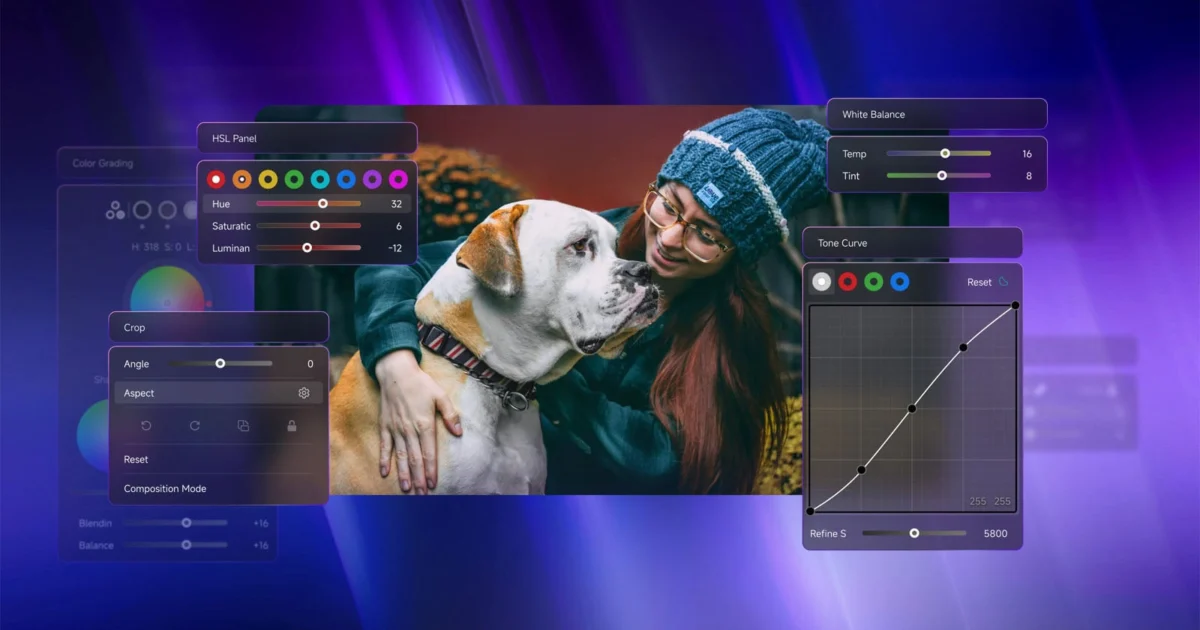
For professional photographers and high-volume retouchers, the "Lightroom shuffle"—the constant back-and-forth between keyboard shortcuts, mouse clicks, and the cramped interface of Adobe’s native sidebars—is a productivity killer. Since its inception, TourBox has sought to bridge the gap between digital creativity and physical intuition. Today, the company is doubling down on that mission with the launch of Dynamic Panel V2, a significant evolution of its plugin for Adobe Lightroom Classic and Lightroom.
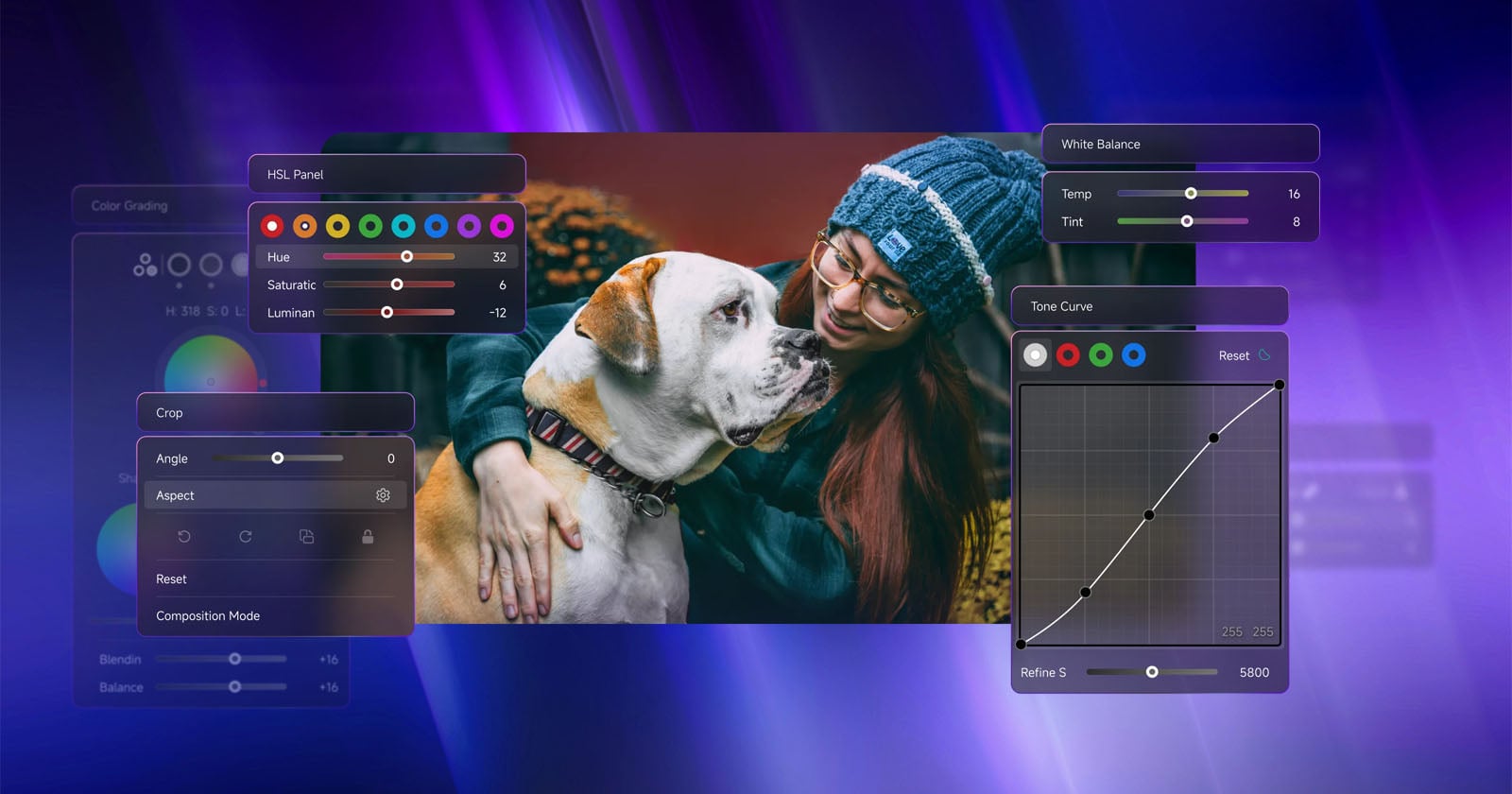
By offloading the interface from the sidebars to a floating, customizable HUD (Heads-Up Display), TourBox is effectively turning Lightroom into a full-screen, tactile experience. This update introduces requested power-user features, including advanced cropping, tone curve manipulation, and a dedicated preset engine, signaling a shift in how we interact with our digital darkrooms.
The Chronology of an Editing Revolution
To understand the significance of V2, one must look at the trajectory of the TourBox ecosystem.
- December 2021: TourBox launches the TourBox Elite, a wireless, customizable console that introduced the concept of "haptic editing." It allowed users to map complex macros and granular slider adjustments to a physical interface.
- October 2025: Recognizing that physical controls were only half the battle, TourBox released the original Dynamic Panel. This plugin allowed users to hide Lightroom’s static sidebars, reclaiming precious screen real estate for the image itself.
- June 2026: The release of Dynamic Panel V2. This update represents the transition from a "utility tool" to a "workflow powerhouse," integrating complex editing tasks—like color grading and curve adjustment—that previously required mouse-heavy interactions within the native Adobe menus.
Core Features: Deep-Dive into Dynamic Panel V2
The update is not merely an incremental patch; it is a fundamental expansion of what the TourBox hardware can control.
Advanced Cropping and Composition Mode
One of the most tedious tasks in Lightroom is the precise adjustment of crops. With V2, TourBox introduces an dedicated cropping panel. Users can now manipulate aspect ratios, rotation, zoom, and reframing without ever leaving the full-screen view. The new "Composition Mode" is particularly noteworthy, providing a level of granular control over crop geometry that feels more like working on a physical light table than a digital interface.
The Tone Curve Reimagined
The Tone Curve is the heart of photographic style, yet it is notoriously difficult to adjust with a mouse. V2 brings direct, tactile access to the Tone Curve. By mapping these points to the TourBox’s dials, photographers can make subtle "S-curve" adjustments or lift shadows with physical precision, all while keeping their eyes locked on the image rather than the UI.
Professional-Grade Color Grading
Color grading has evolved from simple HSL sliders to complex, three-way color wheels. V2 brings these wheels into the Dynamic Panel ecosystem. By utilizing the TourBox’s dials and buttons, users can balance shadows, midtones, and highlights with a degree of smoothness that standard sliders simply cannot replicate. The tactile feedback of a physical knob provides an "analog" feel to digital color theory.
The Preset Engine
The final piece of the puzzle is the new Preset Panel. Presets are the backbone of modern batch editing, and V2 allows users to browse, preview, and apply these looks directly via the console. The ability to scroll through a library of presets and apply them without clicking through menus is a massive time-saver for high-volume portrait and wedding photographers.
Supporting Data: Efficiency and Ergonomics
The value proposition of TourBox centers on two metrics: Speed and Physical Strain.
In professional photography, where deadlines are tight and "culling" sessions can last for hours, repetitive strain injury (RSI) is a genuine concern. By moving the interaction from the mouse—which requires sustained wrist tension—to the TourBox console, editors can adopt a more ergonomic, neutral hand position.
According to preliminary internal metrics provided by TourBox, users who switch to a console-driven workflow report a 30% reduction in time spent on basic color corrections. This is attributed to "Muscle Memory Mapping." Because the TourBox Elite features buttons of varying shapes, textures, and sizes, a seasoned editor eventually stops looking at the console entirely. They know that the "top-left dial" is exposure, the "main knob" is contrast, and the "side button" is a crop-reset. This cognitive offloading allows the photographer to focus entirely on the aesthetics of the image.
Official Responses and Developer Insight
"Move Lightroom’s native panels aside and let the Dynamic Panel take over," a spokesperson for TourBox stated during the V2 announcement. "Our goal is to erase the barrier between the artist and the digital canvas. By enabling an expansive view of your photos, we aren’t just saving space; we are allowing the photographer to stay in the creative ‘flow state’ for longer periods."
The company is keenly aware that the ecosystem must expand. While the current update focuses heavily on the Adobe suite, TourBox has confirmed that development is already underway for Adobe Camera Raw (ACR) and Capture One. This suggests a future where a photographer’s hardware console becomes a "universal remote" for their entire software stack, regardless of the platform they choose for their raw processing.
Implications: The Future of Post-Production
The release of Dynamic Panel V2 raises a critical question about the future of software design. Adobe’s UI is built for the lowest common denominator: the mouse and keyboard. However, as specialized hardware like the TourBox Elite becomes more prevalent, the software-hardware interface is becoming decoupled.
1. The Rise of "Hardware-First" Editing
As AI-driven tools and hardware consoles converge, we are likely to see software manufacturers build "headless" modes into their applications—interfaces designed to be controlled entirely by external peripherals rather than traditional menus.
2. Democratization of High-End Workflow
Previously, tactile, desk-mounted consoles were the domain of high-end colorists working in DaVinci Resolve with expensive panels. TourBox has successfully brought that level of control to the prosumer and professional photographer at a fraction of the cost ($169 to $252). This shift forces a higher standard of speed and precision across the industry.
3. The "Full-Screen" Standard
By prioritizing full-screen editing, TourBox is subtly changing the user’s perception of what a "workspace" should look like. Once a user becomes accustomed to seeing their images fill the entirety of their monitor—unencumbered by panels, histograms, and toolbars—it is very difficult to go back to the "cluttered" traditional interface.
Conclusion: Is it Worth the Investment?
The Dynamic Panel V2 is a free software plugin, but it serves as a powerful incentive to purchase the TourBox Elite or Neo consoles. For the casual hobbyist, this level of control may be overkill. However, for the professional who spends four to eight hours a day in front of a Lightroom catalog, the efficiency gains are self-evident.
The integration of the Tone Curve, advanced cropping, and preset management makes the V2 update a mature, essential component of the professional toolkit. As TourBox continues to expand support to other platforms like Capture One, the console is rapidly evolving from a "nice-to-have" accessory into an indispensable piece of the photographer’s studio equipment.
In a world where speed is money and precision is artistry, TourBox’s latest update ensures that the photographer remains in command of the craft, rather than the software.
For those interested in upgrading their workspace, the TourBox Neo is currently available for $169, while the wireless flagship TourBox Elite Plus retails for $252. Further details on compatibility and installation can be found at the official TourBox website.
 Ali Ikhwan
  Laily UPN
  Reynand Wu