
 By Jia Lissa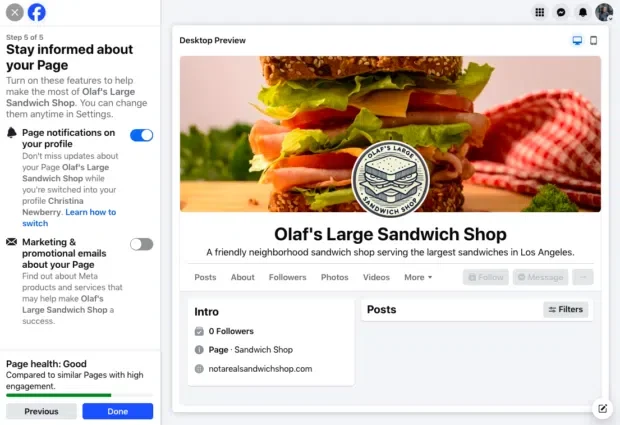
In the fast-paced digital ecosystem, establishing a robust online presence remains a foundational requirement for any enterprise, regardless of its scale or industry. With Meta platforms continuing to evolve, a Facebook Business Page serves as much more than a digital storefront—it functions as a dynamic discovery engine, a community-building hub, and a primary conversion channel.

As digital marketing strategies mature, navigating the nuances of setting up, managing, and optimizing a dedicated business page requires a structured approach. Backed by insights from industry experts and platform data reflecting over 3.07 billion monthly active users globally, this comprehensive guide explores the essential steps, strategies, and management tools needed to maximize your brand’s impact.

Main Facts: What is a Facebook Business Page and Why Does It Matter?
A Facebook Business Page is a free, publicly accessible profile specifically designed for commercial enterprises, brands, non-profit organizations, and public figures. While it shares visual similarities with a standard personal profile, it unlocks a powerful suite of professional utilities, including advanced analytics (Page Insights), native advertising capabilities through Meta Ads, granular team permissions, and centralized customer messaging tools.
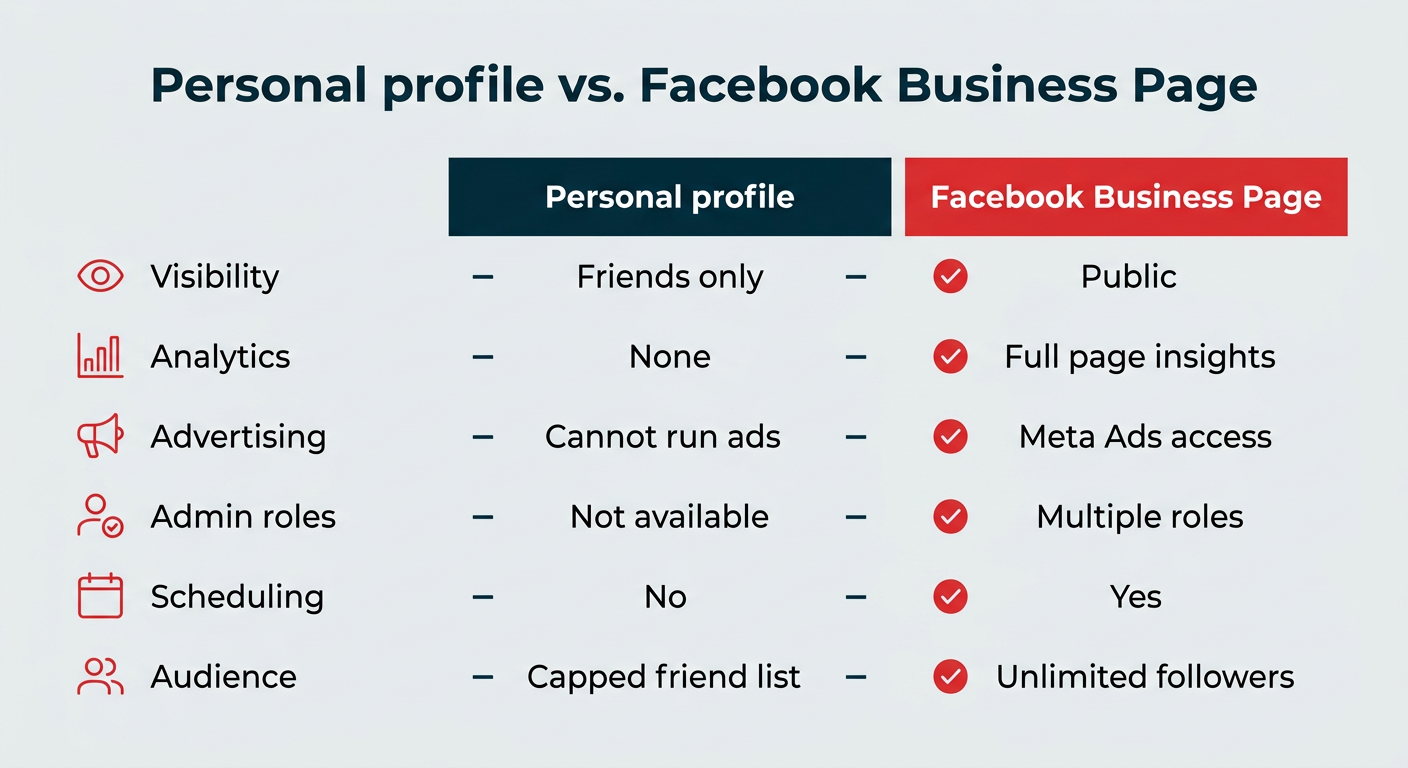
Unlike a personal profile—which relies on a restricted friend list and mutual requests—a Facebook Business Page allows an unlimited number of users to follow your content instantly. This fundamental difference transforms the page from a closed network into an open discovery channel.
Personal Profile vs. Facebook Business Page
To remain compliant with Meta’s terms of service, users must establish their business pages via an authentic personal account. However, personal information remains strictly private and is never displayed publicly on the business page.
| Feature | Personal Profile | Facebook Business Page |
|---|---|---|
| Visibility | Friends and followers only | Publicly searchable and accessible |
| Analytics | None | Full Page Insights and reporting |
| Advertising | Ineligible for commercial ads | Full access to Meta Ads Manager |
| Admin Roles | Unavailable | Multiple customizable roles and permissions |
| Content Scheduling | No native support | Native and third-party scheduling tools |
| Customer Messaging | Personal Messenger | Business Messenger with automation options |
| Audience Capacity | Capped friend list | Unlimited followers |
Chronology: The 8-Step Blueprint to Setting Up Your Page
Setting up a professional Facebook Business Page is entirely free and typically takes roughly 10 minutes. Follow these eight sequential steps to build a fully optimized page from scratch:
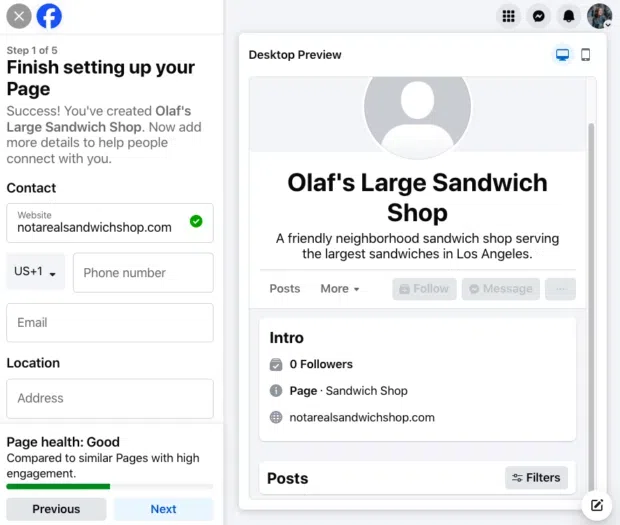
Step 1: Secure Your Personal Foundation
Log into your existing personal Facebook profile—or create a new one if necessary. Remember that this account acts merely as the secure login gateway; your personal details, friends list, and private updates will remain completely isolated from your public business operations.
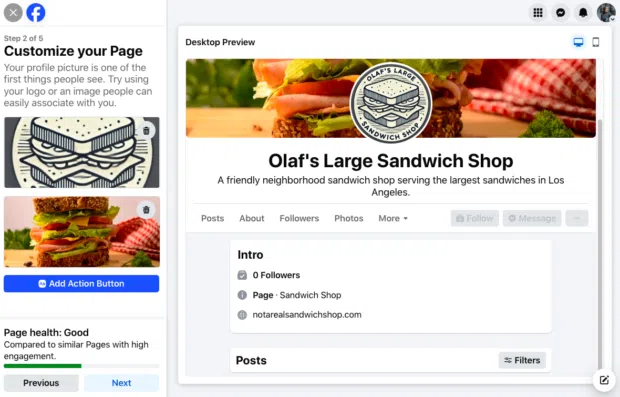
Step 2: Define Your Core Business Information
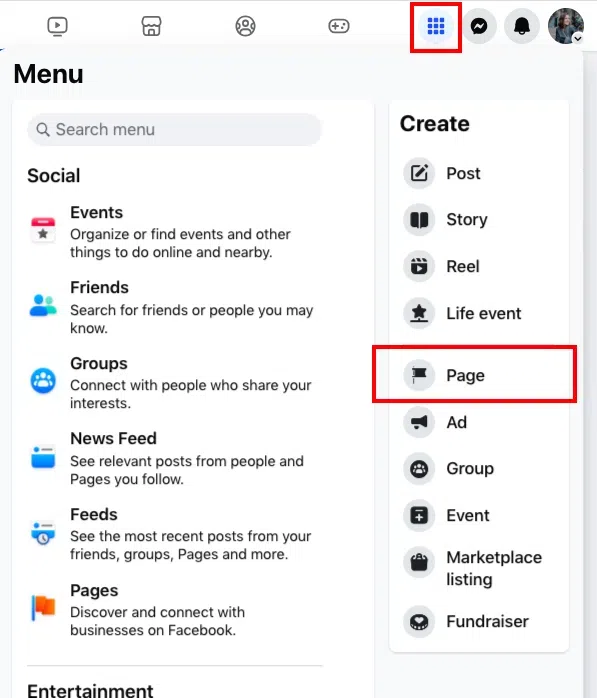
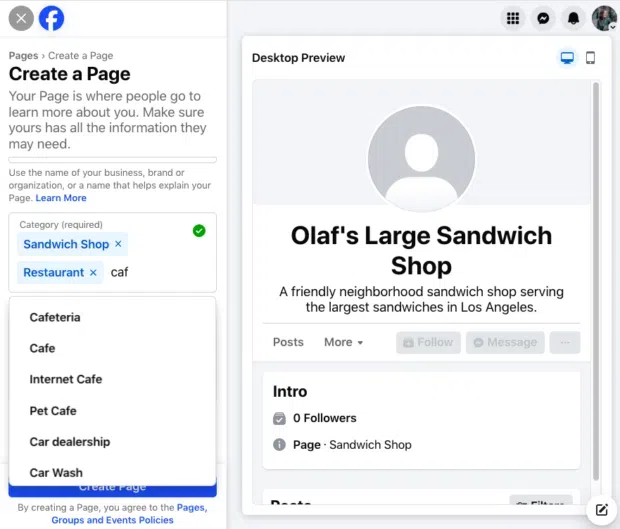
Navigate to the "Create a Page" interface. In the primary setup panel, enter your official business name or the keyword-optimized moniker that customers are most likely to search for. Next, select up to three categories that best describe your industry. Finally, draft a concise, compelling bio that enhances your brand credibility and aids in social SEO.
Step 3: Input Direct Contact Channels
Provide reliable public contact details, such as your business website URL, professional email address, and customer service phone number. If you operate a brick-and-mortar storefront, include your physical location and operating hours.
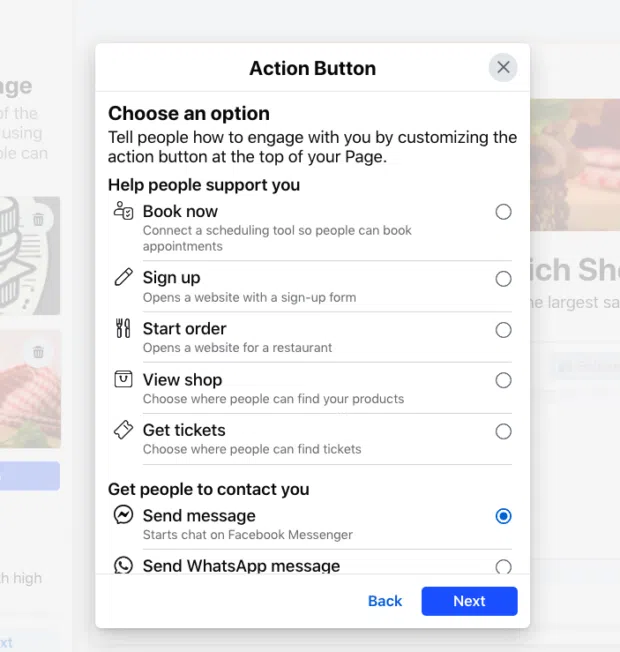
Step 4: Upload Compelling Visuals and Add a CTA
First impressions matter. Upload a recognizable profile picture—ideally your official company logo scaled to 320 x 320 pixels—alongside a brand-aligned cover photo measuring 851 x 315 pixels. Utilize the preview tools to verify visual presentation across both desktop and mobile layouts. Finally, configure a customized Call-to-Action (CTA) button, such as "Book Now," "Shop Online," or "Send Message," to drive immediate user action.
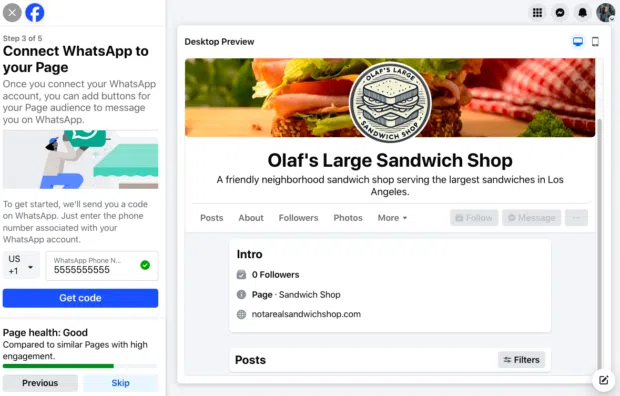
Step 5: Integrate WhatsApp (Optional)
To streamline mobile communication, link your business page directly to a WhatsApp business account by entering your phone number and verifying it via an SMS confirmation code.
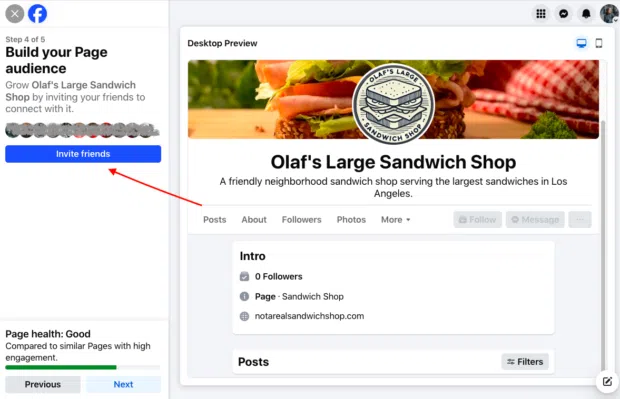
Step 6: Invite Your Initial Network
Kickstart your organic follower growth by leveraging the "Invite Friends" feature, notifying your personal network of your new business hub.
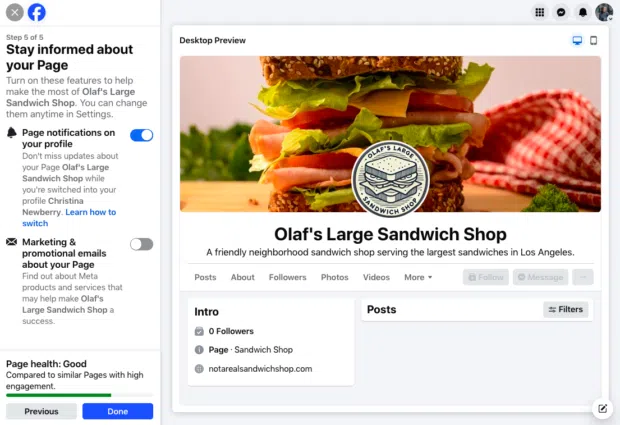
Step 7: Configure Notification Preferences
Ensure you stay responsive by enabling page notifications on your personal profile. This guarantees you remain updated on customer interactions, comments, and direct messages even when logged into your personal account.
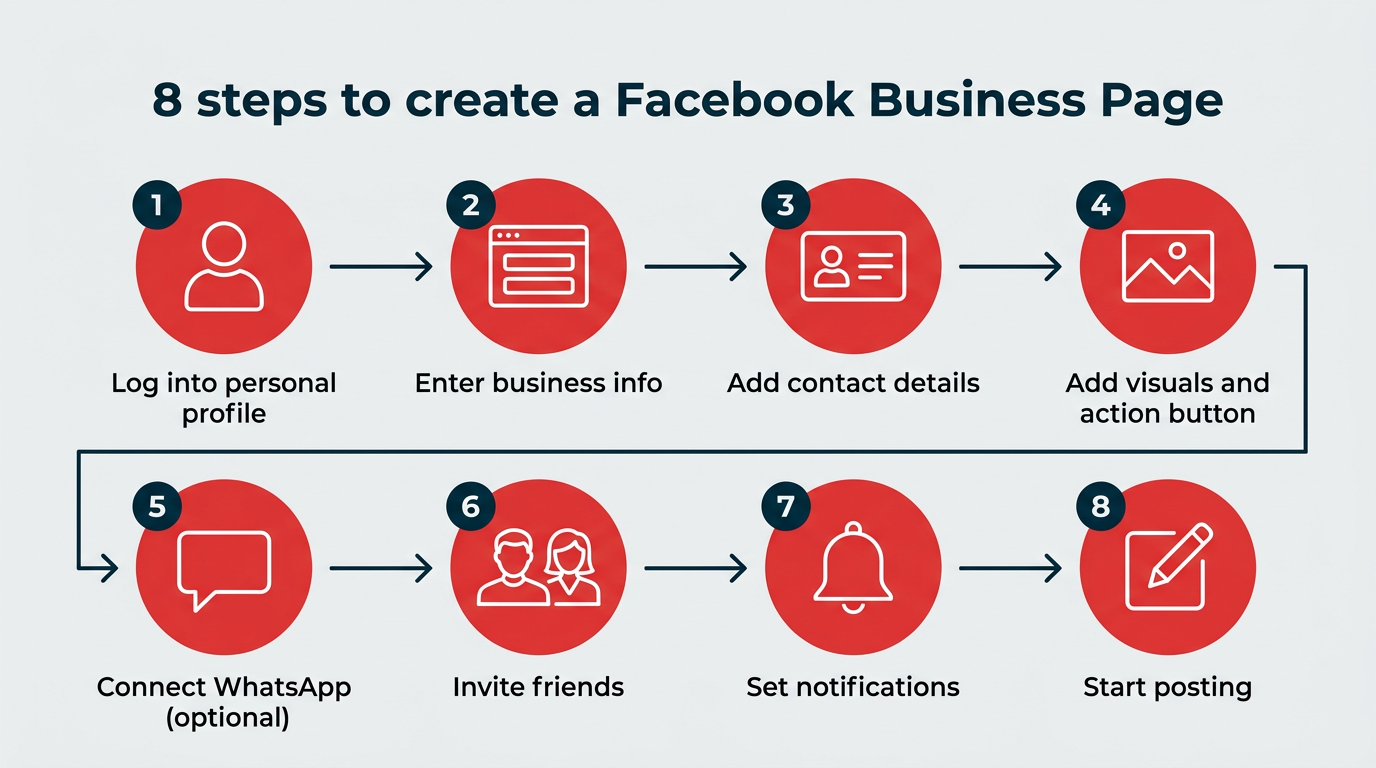
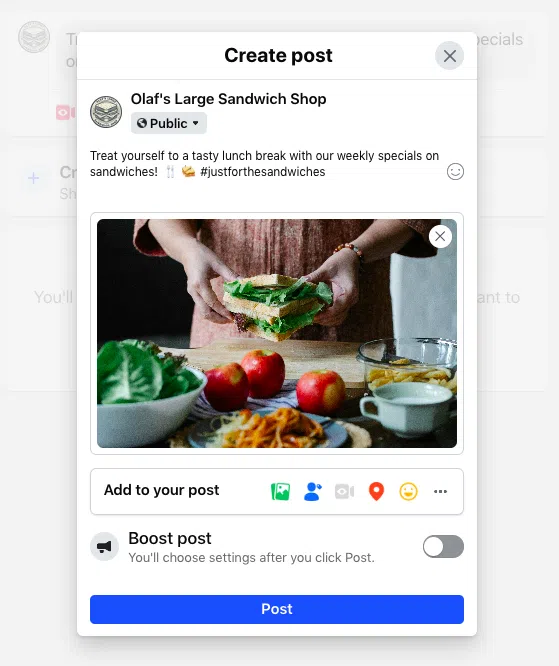
Step 8: Publish Your Inaugural Content
With your infrastructure complete, begin publishing engaging content. Incorporate a healthy mix of text posts, high-resolution photos, interactive polls, short-form Reels, and Stories to capture user attention.
Supporting Data & Strategic Insights
Creating the page is merely the beginning; achieving sustained engagement requires a strategic, community-focused approach. Industry experts emphasize shifting away from a traditional "broadcast" model toward active community nurturing.
- Micro-Community Segmentation: Leading digital strategists note that the future of Facebook Pages lies in building specialized micro-audiences by tailoring content streams to distinct customer segments.
- The Power of Video & Live Streaming: Video continues to drive all-time high engagement metrics across Meta platforms. Data indicates that interactive strategies like story-driven Live Shopping can significantly elevate conversion rates compared to static text posts.
- Hyper-Local Targeting: National and global brands increasingly utilize hyper-local targeting—highlighting regional partnerships, localized testimonials, and community events—to foster deeper local connections.
Official Responses and Verification Protocols
To combat impersonation and protect brand equity, Meta offers Meta Verified for businesses, a subscription-based verification system that awards a blue badge to qualifying enterprise pages.
To achieve verification, a page must:
- Operate within a supported geographic market and business category.
- Meet Meta’s baseline activity standards.
- Submit formal legal documentation, such as official business registration papers, utility bills, or a valid business license.
Applications are processed directly through the page’s settings under the "Meta Verified" tab. Alongside the coveted verification badge, subscribers gain access to enhanced technical support and proactive impersonation monitoring.
Implications for Modern Digital Marketers
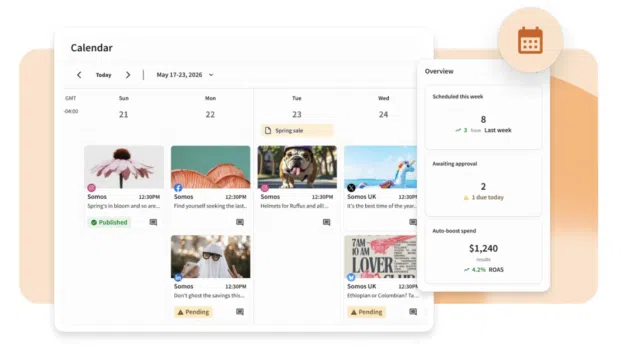
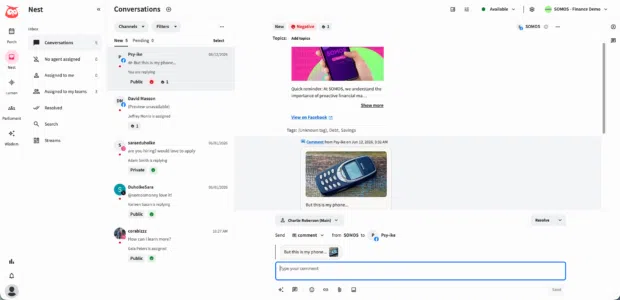
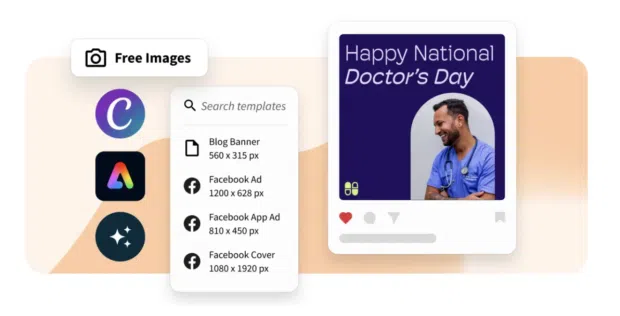
Successfully managing a Facebook Business Page at scale demands robust toolsets. Organizations can choose between Meta’s native Meta Business Suite—which unifies publishing, advertising, and commerce capabilities across Facebook and Instagram—or advanced third-party management platforms like Hootsuite.
Advanced platforms streamline complex workflows by offering:
- Centralized Omnichannel Inboxes: Manage comments, direct messages, and customer queries across Facebook, Instagram, WhatsApp, and other social channels from a single dashboard.
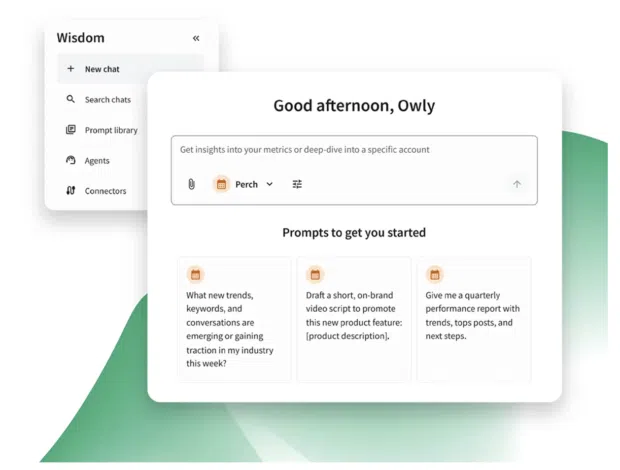
- AI-Driven Content Creation: Leverage integrated social-first artificial intelligence tools to brainstorm post ideas, optimize captions, and automate scheduling.
- Social Listening & Analytics: Utilize quick search features, sentiment tracking, and custom reporting dashboards to measure ROI, track share of voice, and identify the optimal times to publish content for maximum reach.
By combining an intentional setup process with advanced management frameworks, businesses can transform their Facebook Business Page into an indispensable engine for long-term growth, customer loyalty, and measurable revenue.
 Raul Delapena Setiawan
  Ammar Sabilarrohman
  Nana Muazin