 By Nana Muazin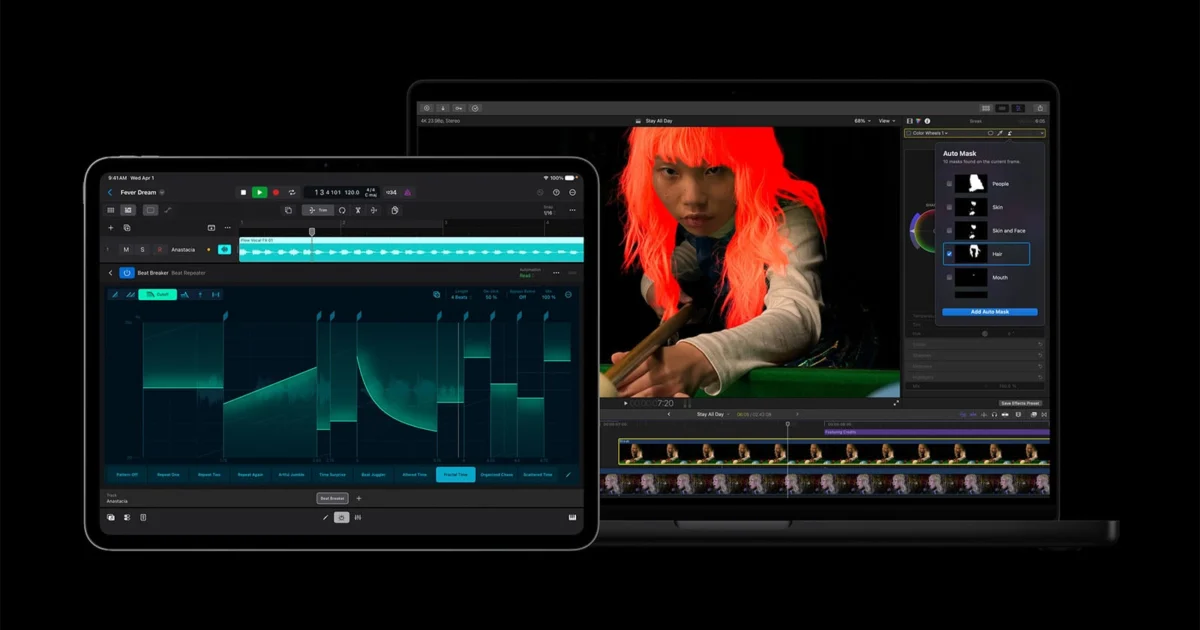
In a decisive move to solidify its position as the premier ecosystem for digital storytellers, Apple has unveiled a robust suite of updates to its "Creator Studio" platform. First introduced early in 2026 as a direct, unified challenge to the long-standing dominance of Adobe Creative Cloud, the collection of professional-grade applications has received a massive infusion of intelligence, connectivity, and performance-driven features.
The update spans the entire spectrum of Apple’s creative software—most notably Final Cut Pro, Pixelmator Pro, and the Final Cut Camera app—bridging the gap between the Mac, iPad, and iPhone workflows to create a more fluid, "pro-first" environment.
Main Facts: What’s New in the Suite?
The latest iteration of Apple Creator Studio is built on the philosophy of on-device intelligence. By leveraging the Neural Engine found in Apple Silicon, these updates aim to strip away tedious, repetitive tasks, allowing creators to focus on the narrative rather than the technical minutiae.
Final Cut Pro: The AI-Powered Editor
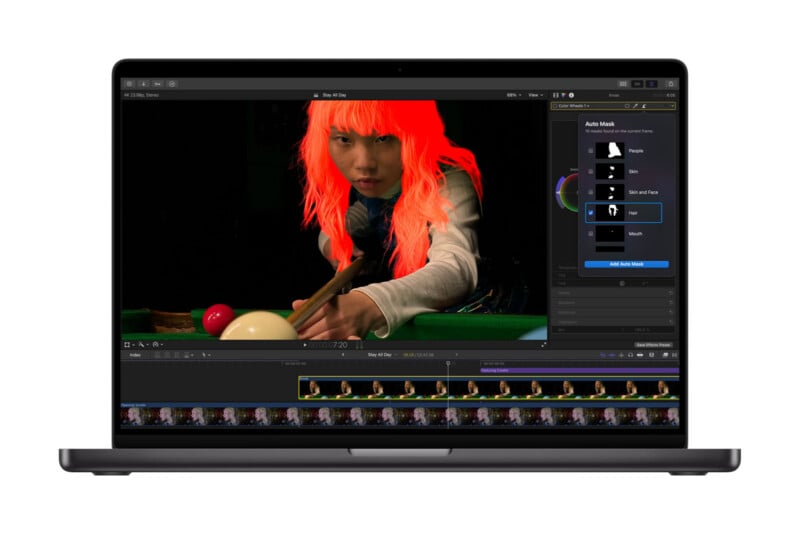
Final Cut Pro (FCP) remains the flagship of the collection, and the latest version is perhaps the most feature-rich update the software has seen in years. The headline addition is the Auto Mask tool. Previously, isolating subjects required frame-by-frame rotoscoping or complex manual keyframing. Now, on-device AI automatically identifies subjects—ranging from human anatomy like hair and skin to environmental elements like foliage, sky, and clothing—with a single click.
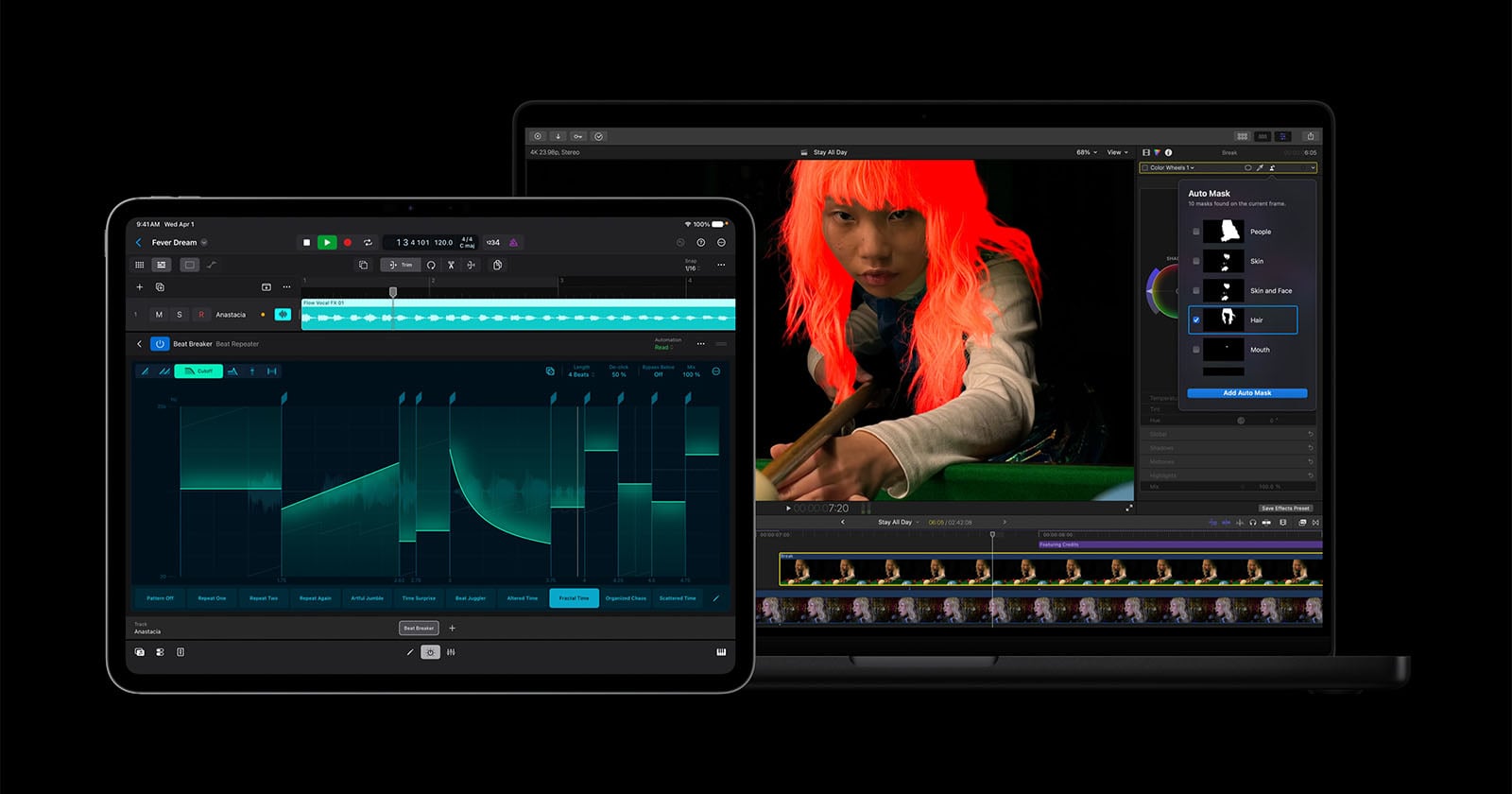
Beyond masking, the update introduces:
- Generate Captions: A highly requested feature that transcribes video content into accurate, customizable subtitles directly within the timeline.
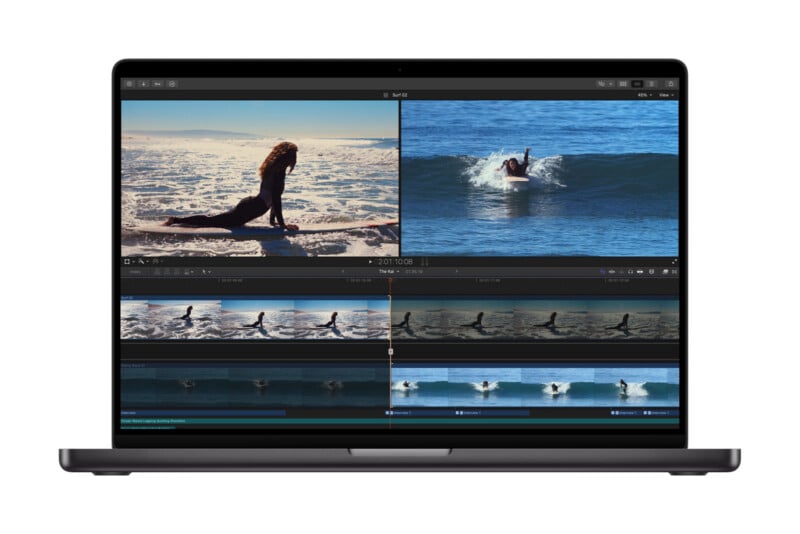
- Edit Detection: For editors working with pre-rendered files, this tool intelligently analyzes the footage and automatically splits it back into individual clips at every cut, saving hours of manual labor.
- Enhanced Match Color: By using AI to analyze color data across varied lighting environments, Apple has refined its color-matching algorithm to achieve a seamless, cinematic look across disparate clips in seconds.
Pixelmator Pro: Bridging Video and Stills
Pixelmator Pro has moved closer to the video workflow than ever before. A key new feature allows for a "round-trip" capability where users can pull a specific frame from a Final Cut Pro project directly into Pixelmator Pro. This is specifically designed for creators who need to generate high-quality thumbnails, promotional graphics, or social media assets that match the color grading of their video project. Furthermore, Apple has integrated advanced generative AI image tools, allowing for complex content-aware fills and generative expansion.
Chronology: The Evolution of Apple Creator Studio
To understand the weight of these updates, one must look at the timeline of Apple’s recent pivot toward professional software.
- November 2024: Apple launched Final Cut Pro 11, the first major version jump in over a decade, introducing the "Magnetic Mask" and setting the stage for AI-driven post-production.
- January 2026: Apple formally introduced "Creator Studio," a branding umbrella intended to position its various apps as a cohesive ecosystem rather than disparate tools. This was the market’s first clear signal that Apple intended to compete head-to-head with the subscription-heavy Adobe model.
- June 2026: Apple released a significant maintenance and feature update to its productivity suite—Pages, Keynote, and Numbers—alongside a performance boost for Logic Pro, hinting at the cross-platform synergy that would culminate in this July update.
- July 2026: The current update drops, bringing the "Intelligent Workflow" features to the Mac and iPad, effectively integrating the hardware and software experience into a singular, cohesive creative powerhouse.
Supporting Data: Performance and Workflow Efficiency
The shift toward on-device AI is not merely a stylistic choice; it is a performance necessity. Internal benchmarks from Apple indicate that the new Auto Mask tool operates up to 40% faster on M4-series chips compared to manual workflows on older architectures.
The integration of Clean HDMI Out and ProRes LT support for the Final Cut Camera app on the iPhone 15/16 Pro lines also points to a significant shift in data management. By allowing filmmakers to bypass the internal storage bottleneck and record directly to external SSDs via a clean HDMI signal, Apple is courting the "prosumer" and indie filmmaker demographic that has historically relied on external monitors like the Atomos Ninja series.
Furthermore, the "Generate Captions" feature uses local language models (LLMs) that do not require cloud processing. This ensures that sensitive footage remains on the device, addressing a primary concern for high-end production houses regarding data privacy and intellectual property.
Official Perspectives and Industry Response
In a statement accompanying the release, Apple’s creative software division emphasized that "the goal of Creator Studio is to eliminate the friction between the initial capture and the final render."
Industry analysts have been largely positive, noting that Apple is effectively leveraging its vertical integration. "Adobe has the advantage of a massive legacy library of plugins and a standardized industry workflow," says Sarah Jenkins, a lead analyst at TechInsights. "However, Apple is winning on latency. By integrating the software directly into the silicon, they are offering an ‘instant’ experience that creative professionals, who are often under tight deadlines, find incredibly compelling."
Critics, however, point to the ecosystem lock-in. While the integration between Final Cut Pro and Pixelmator Pro is seamless, it remains a "walled garden." Those who rely on cross-platform collaboration with teams using Windows or different software suites may still find the transition to an Apple-exclusive workflow a daunting hurdle.
Implications: What This Means for the Creative Industry
The introduction of these features signals a permanent shift in how professional creative work is performed.
1. The Death of Tedium
The automation of masking, captioning, and cut detection marks the end of the "grunt work" era for entry-level and mid-level editors. These tasks, which once occupied 30% of an editor’s day, are now effectively instantaneous. This will likely force a change in the market: as the technical barrier to entry lowers, the value of the editor will shift from "technical proficiency" to "narrative creativity."
2. The iPad as a Pro Tool
For years, the iPad was viewed as a "companion" device. With the latest Creator Studio updates, the iPad Pro is now a legitimate, standalone editing station. The ability to perform advanced masking on a touch-first interface, combined with the new HDMI-out capabilities for external monitoring, suggests that the "laptop-only" era of video editing is nearing its end.
3. The Generative AI Arms Race
By bringing generative AI into Pixelmator Pro, Apple is signaling that it will not cede the AI creative space to Adobe’s Firefly or OpenAI’s Sora. However, Apple’s approach is notably more conservative, focusing on "assistive" AI that helps with workflow rather than "generative" AI that replaces human labor. This distinction is crucial for brand-conscious users who are wary of copyright issues associated with broad-scale generative models.
4. A Challenge to Subscription Models
Apple’s pricing strategy for Creator Studio remains a thorn in the side of its competitors. While Adobe continues to rely on a monthly subscription model, Apple’s purchase-once-own-forever approach for these professional tools continues to appeal to freelancers and independent creators who are tired of "subscription fatigue."
Conclusion
The July 2026 updates to Apple Creator Studio represent more than just a list of new tools; they represent the maturation of a strategy. Apple is betting that by making the software smarter, the hardware more capable, and the ecosystem more tightly bound, it can capture the next generation of visual storytellers. Whether the professional video industry will fully abandon the entrenched Adobe workflow remains to be seen, but with these latest improvements, the barrier to switching has never been lower.
For the modern creator, the choice is no longer just about software features—it is about which ecosystem provides the path of least resistance from the spark of an idea to the final export. As of today, Apple has made a very compelling argument that the answer is "the one that is built into the machine."
 Raul Delapena Setiawan
  rifanmuazin
  Ammar Sabilarrohman